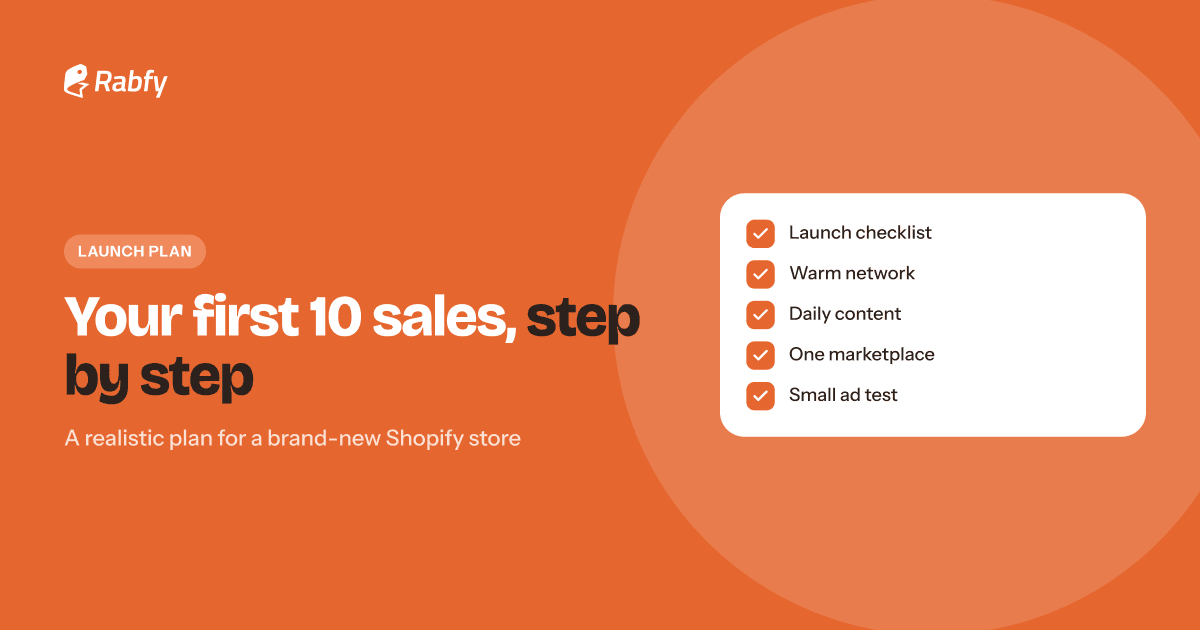
Your store is live, you refresh the dashboard, and nothing happens. That is normal. Your first sales on Shopify come from deliberate actions, not from launching and waiting. This guide gives you a realistic, step-by-step plan for your first 10 orders: fix the conversion basics, then use your warm network, content, a marketplace channel and a small ad test — in that order.
Key takeaways

Your first 10 sales usually come from people and places you can reach directly, not from search traffic.
Fix conversion basics before you bring traffic: clear photos, honest prices, shipping times and trust pages.
Use four channels in order: warm network, content, marketplaces, then a small ad test.
Treat your first 10 sales as research. Ask every buyer why they bought.
Why a new Shopify store gets no sales at first
A new store has no visitors, no reviews and no search ranking. Shopify gives you the store, but it does not send you customers. Search engines take time to find and trust a new site. So in the first weeks, almost every visitor is someone you brought yourself.
That changes the goal. Your job is not to "go viral." It is to bring a small number of the right people to a store that is ready to convert them — and then learn from every order.
Shopify launch checklist: fix conversion basics first
Before you invite anyone, make sure your store won't waste their visit. Traffic sent to a confusing store is traffic lost. Go through this checklist first.

Place a real test order. It checks your checkout, your emails and your fulfillment in one step. If you use Rabfy, your Shopify store connects in a few clicks: the order imports automatically, you map each variant once, and tracking is sent back to your store. See how to connect Shopify to a print-on-demand partner.
Keep your catalog small. Three to five strong products in one niche beat 100 random ones. A focused store is easier to understand and easier to market. Our guide to print-on-demand product research shows how to choose them, and the print on demand jewelry guide explains why personalized jewelry is a good gift niche.
Step 1: Start with your warm network (sales 1–3)
Your warm network is everyone who already knows you: friends, family, coworkers, classmates and community groups. They are the easiest first buyers because they already trust you.
Don't send a mass "please buy" message. Ask for feedback instead — people like to help, and some will buy or share. A simple message:
 Send it personally to 10–20 people, not as one group message.
- Post once on your personal social accounts with a short story of why you started.
- Share in community groups only where the rules allow it.
Follow up once, a few days later, with something new — a photo of a real order or a gift idea for an upcoming date. One friendly follow-up is fine; three is too many. Thank everyone who shares, even if they don't buy.
Do sales to friends count? Yes. They test your full process, give you real product photos and feedback, and build your confidence.
Step 2: Create content where your buyers already are (sales 3–6)
New store marketing works best when you show up where your buyers already spend time: Instagram, TikTok, Facebook groups and Pinterest. You don't need a big following. You need useful, honest posts, every day, for 30 days.
For a jewelry store, short videos work well because people want to see the piece move, shine and sit on a person. Here are eight ideas you can film with a phone:

A simple weekly content rhythm
- 3 product posts: one piece per post, shown on a person, with the personalization visible.
- 2 gift-idea posts: "what to give mom," "first Christmas together" — the searches buyers already make.
- 1 behind-the-scenes post: packing, card writing, or how an order moves from click to doorstep.
- 1 question-and-answer post: reply to a real comment or message.
End every post with one clear next step, such as "Link in bio to personalize yours." Then watch which posts bring clicks and make more like them.
Step 3: Add a marketplace or sales channel (sales 5–8)
Marketplaces and shopping channels already have buyers who are searching. Adding one can bring your first orders from strangers — a big milestone.
- Shopify sales channels: apps such as Facebook & Instagram and Google & YouTube let you show your products on those platforms from your Shopify admin.
- Marketplaces: Etsy, Amazon and eBay have large gift audiences. With Rabfy, each marketplace sale is placed as a custom order in your dashboard, and Rabfy handles production and shipping.
- Local and in person: a small pop-up or gift fair with a few samples can bring orders and real feedback.
Pick one extra channel, not four. How to choose? If your content already does well on Instagram, the Facebook & Instagram channel is the natural next step. If your buyers search for gifts on a marketplace, start there. Learn one channel well, then add the next.
Step 4: Run a small, controlled ad test (sales 6–10)
Ads make sense after your basics are fixed and you have a few organic sales, because then you know the store can convert. Ads amplify what already works; they rarely fix a weak product page.
- 1Pick one product and one clear audience, for example "gift for mom."
- 2Make 2–3 creatives: a short video, a photo on a person, a gift-box shot.
- 3Set a total test budget you can afford to lose, and a fixed number of days.
- 4Judge results by cost per purchase compared with your margin, not by likes.
Keep the test simple enough to read. If you change the product, audience and creative at the same time, you won't know what worked. Change one thing, wait for results, then change the next.
Know your break-even before you start. In the Rabfy homepage example, a Soul Spark Necklace sold at $49.95 leaves an example margin of $33.97 before processing and marketplace fees. If your real margin after fees is lower, your cost per purchase must be lower still, or each sale loses money. Our Facebook ads for jewelry guide has a full beginner budget plan, and Rabfy pricing shows how costs work.
Conversion basics that turn visitors into buyers
If people visit but don't buy, find where they stop. Shopify's analytics show how many sessions add to cart, reach checkout and complete a purchase. Fix the biggest drop first.

- Photos: show the piece on a person, a close-up and a size reference.
- Personalization: show an example name so buyers can picture theirs.
- Delivery: state production time (1–3 days with Rabfy) and that orders ship with tracking.
- Trust: an About page, a real contact email and clear policies.
- Honest urgency: holiday order-by dates are real deadlines — use them, and never invent fake countdowns.
Your 30-day plan to the first 10 sales
Put it all together. If you start today, Oct 28, day 30 lands on Black Friday.

Track a few simple numbers every week: sessions, add-to-cart rate, orders, and the source of each order. You don't need a complex dashboard — a notebook or a simple spreadsheet is enough at this stage.
After every sale, ask one question: "What made you decide to buy?" Those answers tell you which channel to grow and which words to use in your listings. And when orders arrive, reply fast — our customer service templates help.
First Shopify sales FAQ
How long does it take to get the first sale on Shopify?
There is no fixed timeline. It depends on how many of the right people you bring to the store and how well it converts. Some sellers get a first order from their network within days; others take weeks.
Why does my Shopify store get visitors but no sales?
Check where people stop: product page clarity, surprise costs at checkout, missing shipping times, weak photos or low trust. Fix the biggest drop first.
Should I run ads before my first sale?
Usually it's better to fix the basics and get a few organic sales first. Then run a small test with a budget you can afford to lose.
Do sales to friends and family count?
Yes, they are real orders that test your checkout and fulfillment. Just don't ask for fake reviews, and disclose any close connection if they review.
What should I sell to get my first sale?
Three to five focused, giftable products in one niche. Personalized jewelry is easy to explain as a gift and needs no inventory with print-on-demand.
Launch with products that are ready to sell
Connect your Shopify store to Rabfy in a few clicks, add personalized jewelry and let new orders import automatically. Free account, no subscription — pay only when you get an order.
Connect Shopify