If you learned Amazon listing optimisation any time before mid-2026, some of what you know is now wrong. In July 2026, Amazon cut the product title limit from around 200 characters to just 75, added a new Item Highlights field, and its search algorithm now weighs whether buyers actually purchase more heavily than it weighs keywords. A listing built on the old rules isn't just outdated. It may already have been rewritten by Amazon's AI without you noticing.
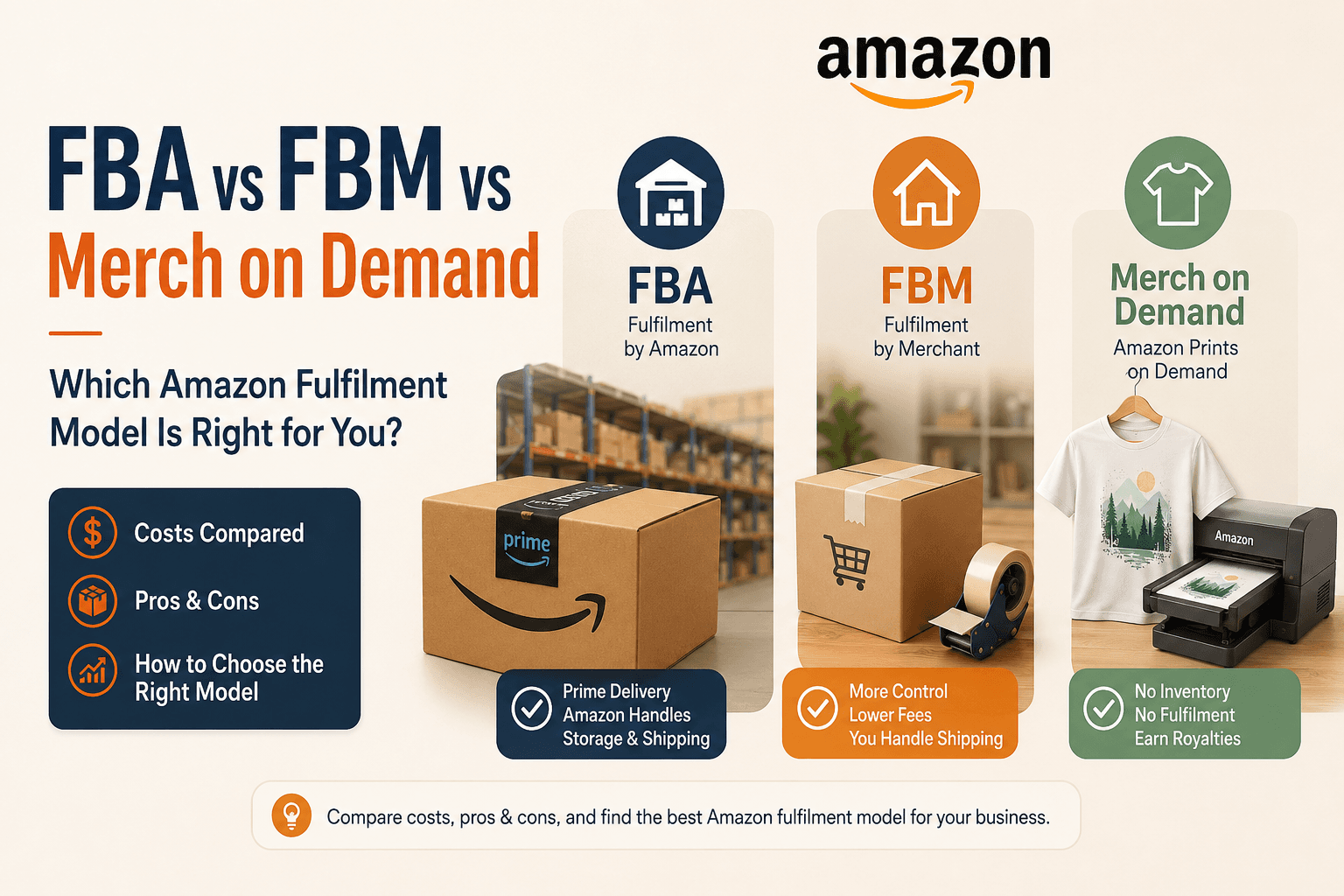
This guide walks through every part of a listing that ranks and converts under the current rules: the shorter title, the new Item Highlights field, bullets, backend search terms, images, and A+ Content, with the real character and byte limits as they stand in 2026. A note first: Amazon changes these limits periodically, and the ones here reflect August 2026, so confirm anything unfamiliar in Seller Central before you act. If you're still choosing your Amazon selling model, our guide on Amazon FBA vs FBM vs Merch on Demand covers that decision first.
How Does Amazon Search Ranking Work in 2026?
Amazon's search algorithm, now called A10, ranks listings primarily by whether shoppers who see them actually buy. Keywords in your title and bullets still control which searches you appear in, but conversion, click-through, and genuine buyer engagement decide how high you rank. This shift, from a sales-velocity model to a customer-behaviour model, changes how you should write a listing.
The practical meaning is that a listing has two jobs, and both matter. First, it has to be indexed for the right searches, which is a keyword task: the right terms in the right fields. Second, once shown, it has to convert, which is a persuasion task: clear title, strong images, benefit-led bullets, trust signals. Under A10, nailing only the first job gets you shown but not ranked, because if buyers don't buy, Amazon stops showing you. There's also a newer factor: Amazon's AI shopping assistant, Rufus, now reads your entire listing, including bullets and A+ Content, to answer shopper questions, which rewards listings written as clear, helpful information rather than keyword salad. Write for indexing and for the human, because both the algorithm and its AI assistant are now reading for buyer value.
How Long Should an Amazon Title Be in 2026?
As of July 27, 2026, Amazon product titles must be 75 characters or fewer, including spaces, in every category except media. A new Item Highlights field holds up to 125 additional searchable characters for the details that no longer fit in the title. This is the single biggest listing change in years, and getting your title right under the new limit is the most important thing on this page, because the title still carries roughly half of Amazon's keyword ranking weight.
Here's what changed and why it matters. The old working limit was around 200 characters, and years of sellers stuffing every keyword into the title created long, unreadable titles. Amazon cut the cap to 75 characters to fit mobile screens and match other stores. Titles left over the limit after the deadline are being rewritten by Amazon's AI gradually, and only Brand Registry sellers get a 14-day window to review those rewrites, everyone else gets the change applied directly. That's the risk: if you don't shorten your own titles thoughtfully, Amazon's AI decides for you.
The 75-Character Title Formula
The structure that works within 75 characters is tight and front-loaded: Brand, then Primary Keyword, then one Differentiator, then Size or Variant. That pattern usually lands between 60 and 75 characters and puts your most important search term near the front, where both buyers and the algorithm weight it most. The title's one job now is to tell a shopper quickly what the product is. Everything secondary moves to Item Highlights.
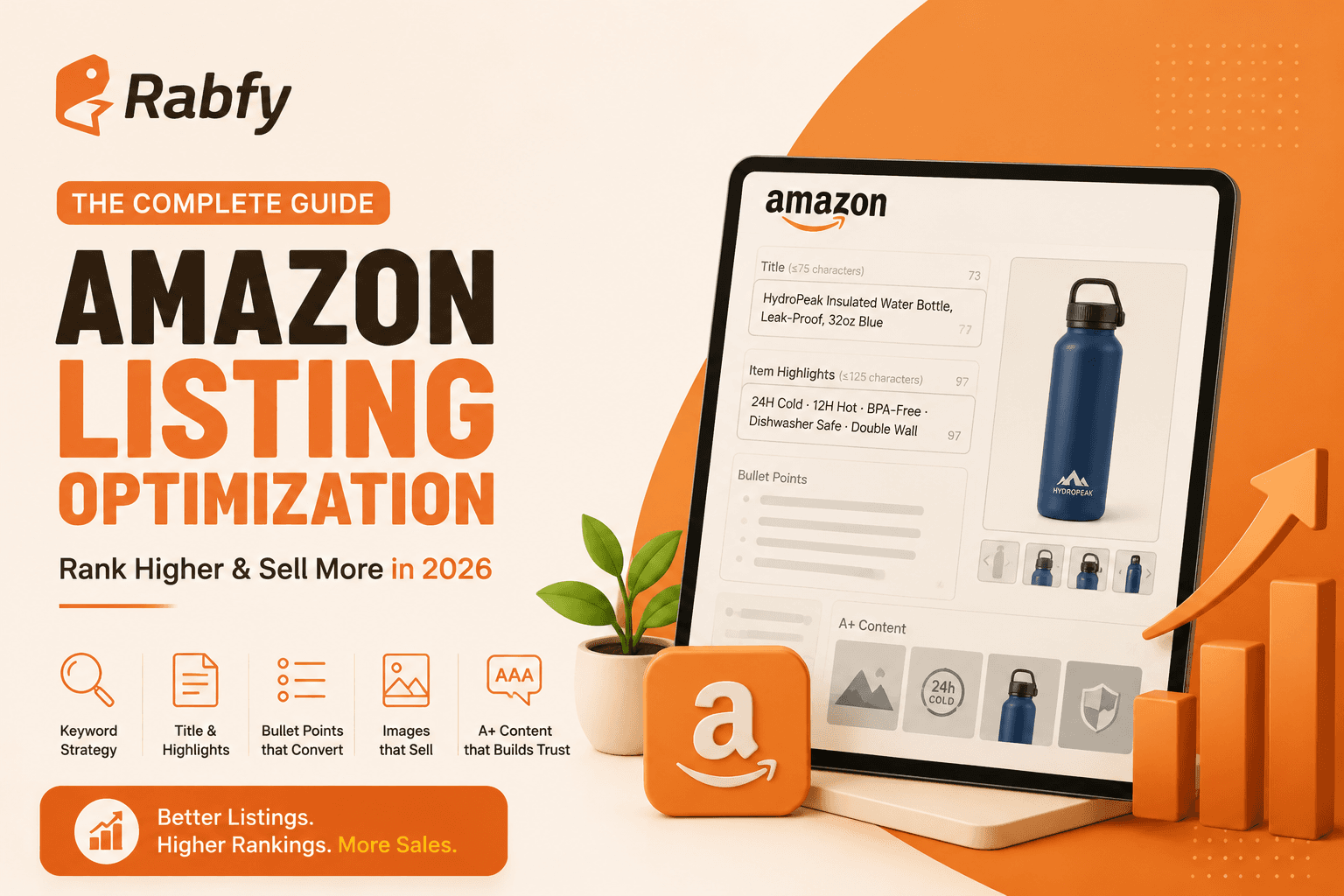
For example, an old-style title like "Premium Stainless Steel Insulated Water Bottle Keeps Drinks Cold 24 Hours Hot 12 Hours BPA-Free Leak-Proof Dishwasher Safe 32oz Blue" is far too long now. The 2026 version splits it: the title becomes something like "HydroPeak Insulated Water Bottle, Leak-Proof, 32oz Blue" (under 75 characters), and the cold-24-hours, BPA-free, dishwasher-safe details move into Item Highlights.
Using the New Item Highlights Field
Item Highlights is your 125 searchable characters for what used to overstuff the title: materials, use cases, key features, and secondary keywords. It's searchable and visible near your title, so treat it as the second half of your title strategy, not an afterthought. Put the details that help a buyer compare and that carry secondary search terms here, in short, clear phrases.
What Should Amazon Bullet Points Include?
Amazon bullet points should lead with a benefit, then explain it, with your strongest selling point first. You get five bullets, each best kept around 150 to 255 characters, and only roughly the first 1,000 bytes across all bullets are indexed for search. Bullets do double duty: they persuade the scanning buyer and feed the algorithm, so structure matters.
The pattern that works is a short benefit statement to open each bullet, in sentence case (most categories don't allow all-caps), followed by the supporting detail. Lead with benefits, not dry features: "Keeps drinks cold for 24 hours, so your morning coffee survives the commute" beats "Double-wall vacuum insulation." Put your single strongest selling point in the first bullet, because it's read most and indexed most. Weave your important keywords in naturally, since bullets are indexed, but write for a human skimming on a phone, because most shoppers are. Standard sellers get up to 255 characters per bullet; Brand Registry sellers can go longer, but readable beats maximal. Avoid the policy triggers that get bullets flagged: no emojis, no all-caps words, no guarantee or unverifiable claims.
What Goes in Amazon Backend Search Terms?
Backend search terms are hidden keyword fields, limited to 249 bytes (not characters), for the search terms that don't appear naturally in your visible listing: synonyms, alternative phrasings, common misspellings, and secondary-language terms. Never repeat words already in your title or bullets, and going one byte over silently de-indexes the entire field. This is where a huge share of sellers quietly lose search coverage, because the byte rule is unforgiving and invisible.
The critical technical trap is bytes versus characters. Standard English letters are one byte each, but accented characters count as two and some symbols more, so 249 bytes is not 249 characters. Exceed the limit by a single byte and Amazon ignores the whole field, and it still looks perfectly fine in Seller Central, so sellers carry dead backend fields for months without realising. Use a byte counter to check. Beyond the limit, the rules are simple: don't repeat anything already in your title, Item Highlights, or bullets, because Amazon already indexes those and repeating wastes precious bytes. Separate terms with spaces, not commas (commas waste bytes). Fill the field with genuinely new coverage: synonyms a buyer might use, alternate phrasings, common misspellings worth catching, and for the US market, relevant Spanish terms, since these capture searches your visible copy misses.
How Many Images Do You Need on Amazon?
Use at least seven images. Your main image must be on a pure white background at a minimum of around 2,000 pixels on the longest side so zoom works, followed by a sequence of infographic, lifestyle, scale, and detail shots. Images drive click-through and conversion, both of which A10 weighs heavily, so your image sequence is a ranking tool, not just decoration.
Here's the sequence that converts, each image doing a specific job:
Position Image type Its job 1 Main (white background) Win the click in search results 2 Infographic Show key features and benefits at a glance 3 Lifestyle Show the product in real use, help buyers imagine owning it 4 Scale / dimensions Answer "how big is it?" before they ask 5 Detail / close-up Show material and quality up close 6 Comparison or benefit Address the main hesitation or comparison 7 Trust / packaging Reassure on what arrives and reduce return risk
Every image should remove a reason a buyer might hesitate or, worse, buy and then return. The main image wins the click in search, so it must be clean and clear as a thumbnail. The rest answer the silent questions that stop a purchase. Check every image on a phone, since that's where most shoppers are.
Does A+ Content Help Ranking or Just Conversion?
A+ Content, the enhanced brand content that replaces your basic description with formatted modules and images, primarily improves conversion, and because A10 rewards conversion, it helps ranking indirectly. A+ Content requires Brand Registry. Understanding this distinction stops you from expecting A+ Content to be a direct ranking lever when its real power is turning more visitors into buyers.
A+ Content lets brand-registered sellers replace the plain text description with a richer layout: comparison tables, feature modules, lifestyle imagery, and brand story. Its direct effect is on conversion, giving hesitant buyers the visual reassurance and detail that pushes them to buy. But since A10 ranks partly on whether shoppers convert, better conversion feeds back into better ranking, so A+ Content helps ranking through the side door. One technical note worth knowing: even when A+ Content visually replaces your product description on the page, Amazon still indexes the description text in the backend, so keep filling it with keywords you couldn't place elsewhere. Requiring Brand Registry, A+ Content is also a reason many serious sellers pursue it, which we cover in our guide on building a real brand on Amazon.
How to Optimise an Amazon Listing, Step by Step
Here's the repeatable process, in the order the fields matter.
Step 1: Research Your Keywords First
Find the exact terms buyers search for your product, and sort them into tiers: your primary keyword (for the title), strong secondary terms (for Item Highlights and bullets), and long-tail, synonyms, and misspellings (for the backend).
Step 2: Write a 75-Character Title
Brand, primary keyword, one differentiator, size or variant, under 75 characters including spaces, primary keyword near the front. Say clearly what the product is and leave the rest for Item Highlights.
Step 3: Fill Item Highlights
Use the 125 searchable characters for materials, use cases, and secondary keywords in short, clear phrases. Treat it as the second half of your title.
Step 4: Write Five Benefit-Led Bullets
Open each with a benefit in sentence case, strongest point first, supporting detail after. Keep them readable on mobile, weave in keywords naturally, and avoid emojis, all-caps, and unverifiable claims.
Step 5: Load the Backend Search Terms
Fill 249 bytes with genuinely new terms (synonyms, misspellings, alternate phrasings, relevant Spanish), no repeats from the visible listing, spaces not commas. Byte-check it, because one byte over kills the whole field silently.
Step 6: Build the Seven-Image Sequence
Main image on white, then infographic, lifestyle, scale, detail, comparison, and trust shots, at 2,000-plus pixels for zoom. Check them all on a phone.
Step 7: Add A+ Content if You Have Brand Registry
Use A+ modules to lift conversion, and still fill your product description with backend keywords, since it stays indexed even when A+ replaces its display.
Why Is My Amazon Listing Not Ranking?
A listing usually fails to rank for one of two reasons: it isn't indexed for the keywords you expect (a coverage problem), or it's indexed but doesn't convert (a persuasion problem). The fix depends on which, so diagnose before you rewrite. Treating a conversion problem as a keyword problem, or vice versa, is why sellers rewrite endlessly without improvement.
Check indexing first: search your exact keyword and see whether your listing appears at all. If it doesn't, the keyword isn't in your title, Item Highlights, bullets, or backend, or your backend field is silently dead from a byte overflow, so fix your keyword coverage. If your listing is indexed but ranks low, it's a conversion problem: buyers see it and don't buy, so A10 shows it less. Then the levers are your main image, price competitiveness, bullets, images, reviews, and A+ Content, everything that turns a visit into a sale. Common culprits also include a title that got AI-rewritten after the 75-character change, thin images, or uncompetitive pricing. Change one variable, give it time, and watch whether conversion moves.
Frequently Asked Questions
How long should my Amazon title be? Since July 27, 2026, Amazon titles must be 75 characters or fewer, including spaces, in all categories except media. Use the format Brand, primary keyword, one differentiator, size or variant, keeping your main search term near the front. Move secondary details into the new Item Highlights field, which holds up to 125 additional searchable characters. Titles left over the limit are gradually rewritten by Amazon's AI, so shorten yours yourself rather than letting the AI decide.
What goes in backend search terms? Backend search terms hold keywords that don't appear in your visible listing: synonyms, alternative phrasings, common misspellings, and relevant secondary-language terms like Spanish for the US market. The field is limited to 249 bytes (not characters), so accented characters and symbols count for more, and exceeding it by one byte silently de-indexes the entire field. Never repeat words already in your title or bullets, and separate terms with spaces, not commas.
How many images do I need? Use at least seven. Your main image must be on a pure white background at around 2,000 pixels or more on the longest side so zoom works, followed by infographic, lifestyle, scale, detail, comparison, and trust or packaging shots. Each image should remove a reason a buyer might hesitate or return the product. Since click-through and conversion feed ranking, your images are a ranking tool, not just decoration, so check them all on mobile.
Does A+ Content help ranking or just conversion? A+ Content primarily improves conversion by replacing your plain description with richer modules, images, and comparison tables that reassure hesitant buyers. Because Amazon's A10 algorithm rewards conversion, better conversion from A+ Content indirectly helps ranking too. It requires Brand Registry. One tip: even when A+ Content visually replaces your description, Amazon still indexes the description text, so keep filling it with keywords you couldn't place elsewhere.
How often should I update a listing? Update when you have a specific reason: new keyword research, weak conversion to fix, a competitor shift, or a policy change like the 2026 title limit. Avoid constant undirected edits, since each change can reset the listing's evaluation and make it harder to read the results. The exception right now is the 75-character title change: if you haven't reviewed your titles since July 2026, do that promptly so you control them rather than Amazon's AI.
Key Takeaways
 Amazon cut titles to 75 characters (from ~200) on July 27, 2026, and added a 125-character Item Highlights field. Review your titles yourself or Amazon's AI rewrites them for you.
- The A10 algorithm ranks primarily on conversion. Keywords get you indexed; buyers actually purchasing gets you ranked. Write for indexing and for the human.
- Backend search terms are limited to 249 bytes, not characters, and one byte over silently kills the whole field. No repeats from your visible listing, spaces not commas.
- Use at least seven images in a deliberate sequence (main, infographic, lifestyle, scale, detail, comparison, trust). Each should remove a reason to hesitate or return.
- A+ Content lifts conversion and therefore ranking indirectly, but requires Brand Registry. Keep your description filled even when A+ replaces its display, since it stays indexed.
How Rabfy Helps
A perfectly optimised Amazon listing still lives or dies on whether orders arrive fast and in good condition, because A10 ranks on conversion and post-purchase satisfaction, and late or poor deliveries drive the returns and negative reviews that sink both. Rabfy protects that side: when your Amazon listing sells, you place the order with Rabfy, and it's produced and shipped from our US warehouse, reaching customers quickly rather than crossing a border on every order. Fast, reliable delivery supports the conversion and satisfaction signals A10 rewards, and the 0% return rate across our sellers last Q4 reflects the kind of quality that protects your reviews. Over 300 sellers currently fulfil through Rabfy across more than 50,000 orders. For sellers reaching Amazon US from overseas, producing inside the US also removes the cross-border shipping delay entirely, which we cover in our guide on how to sell on Amazon from Bangladesh. Getting stock into Amazon's own FBA network has strict prep rules, which we cover in our guide on Amazon FBA prep requirements. Learn more on our features page.
Optimise Your Listing, Then Protect It With Fast Fulfilment
You've got the 75-character title formula, the Item Highlights strategy, the byte-safe backend approach, and the seven-image sequence. The last piece is making sure fast, reliable delivery protects the conversion signals your optimised listing earns. Create your free Rabfy account and fulfil your Amazon orders from a US warehouse, so your listing's ranking is backed by delivery buyers are happy with.
Rabfy and mentors Amazon sellers on listing optimisation and fulfilment inside Rabfy's community. This article reflects Amazon's rules as of August 2026; confirm current limits and policies in Seller Central before acting.