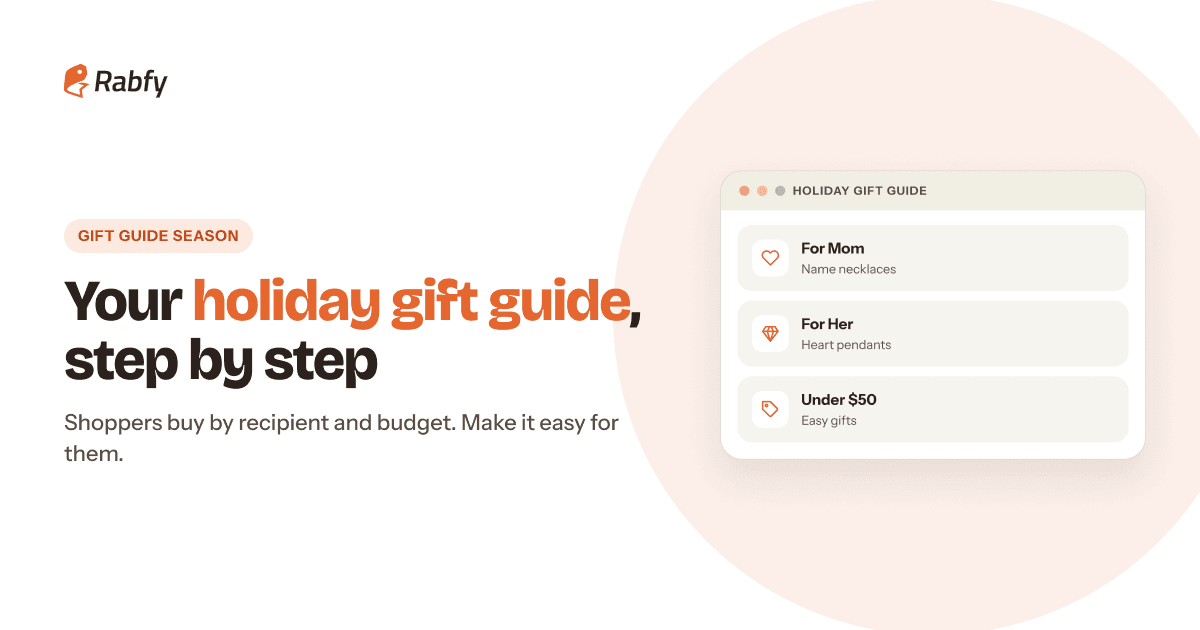
Holiday shoppers rarely search for a product name. They search for a person: a gift for Mom, for a sister, for a best friend. A holiday gift guide for online store visitors turns your catalog into answers to those searches. This step-by-step guide shows you how to build one in an afternoon, before Black Friday on November 27, 2026.
A gift guide is a page (or a small set of pages) that groups your products by recipient, budget or occasion. It helps shoppers decide faster, gives you something useful to share in emails and ads, and can bring in search traffic for gift terms year after year.
Key takeaways

Shoppers buy by recipient and budget. Organize your guide the same way.
Start with 3–4 recipient sections and 3–5 products in each. More is not better.
Add price bands, such as Under $40, $40–$60 and $60+, so shoppers can scan fast.
Link the guide from your homepage, menu and emails, and show your 'order by' date.
Publish it by mid-November, so it is ready for early shoppers and Black Friday traffic.
What is a holiday gift guide, and why does it work?
A gift guide answers the question every holiday shopper has: 'What should I buy for this person?' Instead of browsing your whole catalog, the shopper goes straight to 'For Mom' or 'Under $50' and sees a short, curated list.
It helps you too. Gifts are the heart of holiday spending. In the National Retail Federation's 2025 Thanksgiving-weekend survey, shoppers spent an average of $337.86, and about $225.74 of that went to gifts. A clear guide puts your products in front of people who are shopping with a gift budget in mind.
 Less choice, faster decisions. A short list is easier to buy from than a full catalog.
- Better for search. Pages about 'gifts for mom' match what people type into search engines.
- Easy to promote. One link works in emails, social posts, ads and your homepage banner.

Step 1: Choose 3–4 recipients for your gift guide
Start with the people your customers buy for most. Look at your past orders, customer messages and personalization notes. Several children's names on one piece often mean a gift for Mom. Two names often mean a couple.
No past orders yet? Type 'gifts for' into a marketplace or search engine search bar and write down the suggestions that fit your products. Those suggestions show you how real shoppers describe the people they buy for.
For a personalized jewelry store, good starting sections are For Mom, For Her (wife, girlfriend or partner), For Daughter and For Best Friend. For product ideas in each group, see our lists of personalized gift ideas to sell and Christmas jewelry gift ideas.
Step 2: Pick 3–5 products for each section
Choose your best sellers and the pieces with the strongest gift story. Each product in the guide should pass four simple checks:
- It has good photos, including one that shows the gift moment: the box, the card or someone wearing it.
- It is easy to personalize without mistakes.
- It still has a healthy margin with your Black Friday offer.
- It can be made and delivered before your 'order by' date.
It is fine to use the same product in two sections. A name necklace can sit under both 'For Mom' and 'For Daughter', with a different gift note in each.
Write a short gift note for each product
Under each product, add one line that answers 'Why is this a good gift?' Write about the person, not the materials. For example:
- 'Her kids' names, close to her heart every day.' (family name necklace)
- 'One for you, one for her, wherever you both live.' (best friends bracelet pair)
- 'Ready to give: arrives with your personal message card.' (any piece with a card)
Step 3: Add price bands shoppers can scan
Many shoppers start with a budget. Price bands let them jump straight to what they can afford. Three bands are usually enough for a small store.

Set bands around your own prices. If most of your products sell between $35 and $70, bands like Under $40, $40–$60 and $60+ spread them evenly. Put gift sets in the top band, where they also help lift your average order value.
Step 4: Design a gift guide page that sells
Your gift guide page does not need to be fancy. It needs to be clear on a phone, because that is where many shoppers will see it. On Cyber Monday 2025, 57.5% of US online sales happened on mobile devices, according to Adobe Analytics.

- A clear title, such as 'Holiday Gift Guide 2026' or 'Gifts for Everyone on Your List'.
- Section buttons at the top that jump to each recipient or price band.
- Prices shown on the page, so shoppers with a budget do not need to click every product.
- Your 'order by' date near the top, so shoppers know when to buy for Christmas delivery.
- Add-ons, such as message cards, shown next to the products they go with.
On Shopify, a simple setup is one collection per section and one page that links to them. On Etsy, you can create shop sections with gift names. On any platform, check that the page loads quickly and the buttons are easy to tap.
Step 5: Promote your gift guide everywhere
A gift guide only works if people see it. Once it is live, link to it from every place shoppers meet your brand.
- 1Homepage banner from mid-November until your 'order by' date.
- 2Main menu link called 'Gift Guide'.
- 3Email: send the guide as its own email one to two weeks before Black Friday. Our Black Friday email marketing guide shows where it fits in your sequence.
- 4Social posts: share one section at a time, such as 'Gifts for Mom under $40'.
- 5Ads: send gift-focused ads to the matching section, not to your homepage.
Check what works each week
Once a week, look at three numbers for the guide: page visits, clicks to products and orders. If a section gets many visits but few clicks, change its first product or photo. If a section gets almost no visits, feature it in your next email or replace it.
More gift guide ideas and mistakes to avoid
Once your recipient sections are live, you can add one or two extra sections for specific moments. Keep each one short.
- Ready to give: pieces that arrive with a message card, for shoppers who want no extra work.
- Matching gifts: sets for couples, sisters, best friends or mother and daughter.
- Secret Santa and office gifts: a small section under a clear price limit.
- Last-minute gifts: after your shipping cutoff, point shoppers to gift cards or 'arrives after Christmas' options.
And avoid the common mistakes: putting forty products on one page (that is a catalog, not a guide), linking the guide only from your footer, and leaving it unchanged after your 'order by' date, when shoppers can no longer get a gift in time.
Your gift guide launch checklist
Before you share the link, run through this list on your phone. It takes about ten minutes.

Frequently asked questions
When should I publish my holiday gift guide?
By mid-November. A guide that is live before Black Friday (November 27, 2026) catches early planners and deal hunters. Keep it up until your 'order by' date, then point shoppers to gift cards.
How many products should a gift guide have?
Start with 3–4 sections and 3–5 products in each, so about 9–20 products in total. A short, curated guide is easier to shop than a long list.
Should a gift guide be one page or several?
For a small store, one page with clear sections is usually best. Larger stores can make a main page that links to separate pages for each recipient or price band.
Can a gift guide help SEO?
It can. A page built around phrases like 'gifts for mom' or 'personalized gifts under $50' matches what shoppers search for. Update the same page each year instead of starting a new one.
What if I sell on Etsy instead of my own site?
Use the same idea with Etsy's tools: shop sections named for recipients, gift-focused titles and photos, and social posts or emails that link to each section.
Fill your gift guide with made-to-order gifts
Add personalized necklaces, bracelets and message cards from the Rabfy catalog, set your own prices and let us make and ship every order. It is free to start.
Start selling free